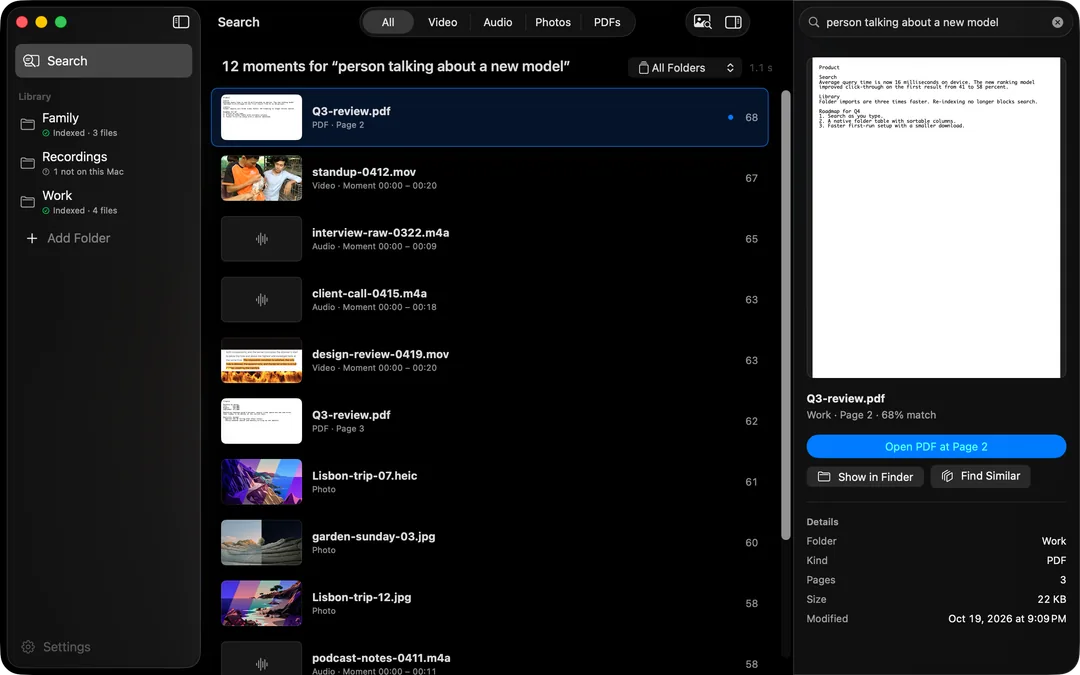
HyperArc lets researchers search interviews, field recordings, video observations, photos and PDFs of papers together, by describing what they're looking for: “participant describing their first week on the job”, “street noise recording near the market”, “the paper's section on sampling bias”. It returns the matching segment or page and opens it there. Everything runs on your Mac, which matters when the data belongs to your participants.
The Mixed-Media Problem
Research material rarely lives in one format. A single project might have 40 hours of interviews, a folder of field recordings, video of a workshop, photos of whiteboards and a few hundred PDFs of papers and reports. Each has its own half-solution: transcripts for some interviews, a reference manager for the papers, file names for everything else. Finding “the bit where someone talked about trust in their manager” across all of it is the part no tool makes easy.
HyperArc indexes all of those formats in one library and searches them with one query.
How It Works
HyperArc breaks your material into chunks: 30-second segments for audio and video, single pages for PDFs, and whole photos. HyperArc's on-device search model computes an embedding for each chunk on your Mac. Your search is embedded the same way and compared against every chunk, so results match on meaning rather than exact words. A search for “feeling isolated working from home” can surface a page about loneliness among remote workers that never uses the word “isolated”.
How to Set It Up for a Project
- Install HyperArc (macOS 15 or later). Setup downloads the search model once, about 485 MB. No account and no API key.
- Organize by folder. Keep each study or project in its own folder, with interviews, field recordings and papers inside. HyperArc doesn't move or copy anything.
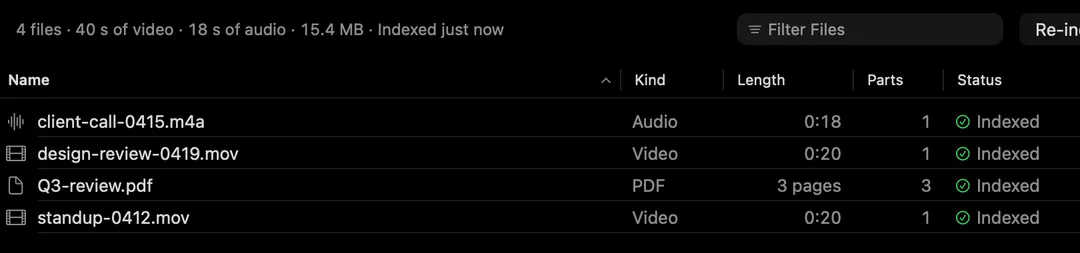
- Add the folders and let them index. Watched folders pick up new interviews as you add them.
- Search by theme. Describe the idea you're tracing: “frustration with paperwork”, “description of the harvest ritual”, “results comparing the control group”.
- Narrow it. Pick a folder to stay within one study; switch the type filter to Audio for interviews or PDFs for literature.
- Open the source. Open at [time] starts the recording at the segment; Open PDF at Page N opens the paper at the page. Copy Timestamp gives you the time for your notes.
Where It Helps Most
- Revisiting interviews for a theme you didn't code for the first time.
- Literature search inside your own PDFs, by concept, landing on the page.
- Finding a field recording when all you remember is what it sounded like.
- Searching with an example: drop in a photo from fieldwork or a page from a paper to find similar material.
- Working offline in the field, or anywhere a cloud tool isn't allowed by your ethics approval.
Limits, Stated Plainly
- Search, Not AnalysisNo coding, tagging, annotation or transcripts. It finds material; your analysis tools do the rest.
- Segment-Level ResultsAudio and video results are 30-second segments; PDFs are single pages. You read or listen from there.
- Local by DesignFiles, the index and your searches stay on your Mac. Offline after setup.
- One Mac at a TimeNo sync between machines. Each Mac indexes its own folders; a license covers up to 3.
Check your institution's data handling rules before adding any tool to a project. HyperArc's network calls are limited to the model download, license activation and checks, update checks and optional anonymous usage data, and the privacy page explains each one. For document-heavy research with annotation and organization needs, HyperArc vs DEVONthink compares the two honestly. For PDF search on its own, see searching PDFs by meaning.
HyperArc is a one-time $129 for up to 3 Macs, with a 7-day money-back guarantee.
Updated