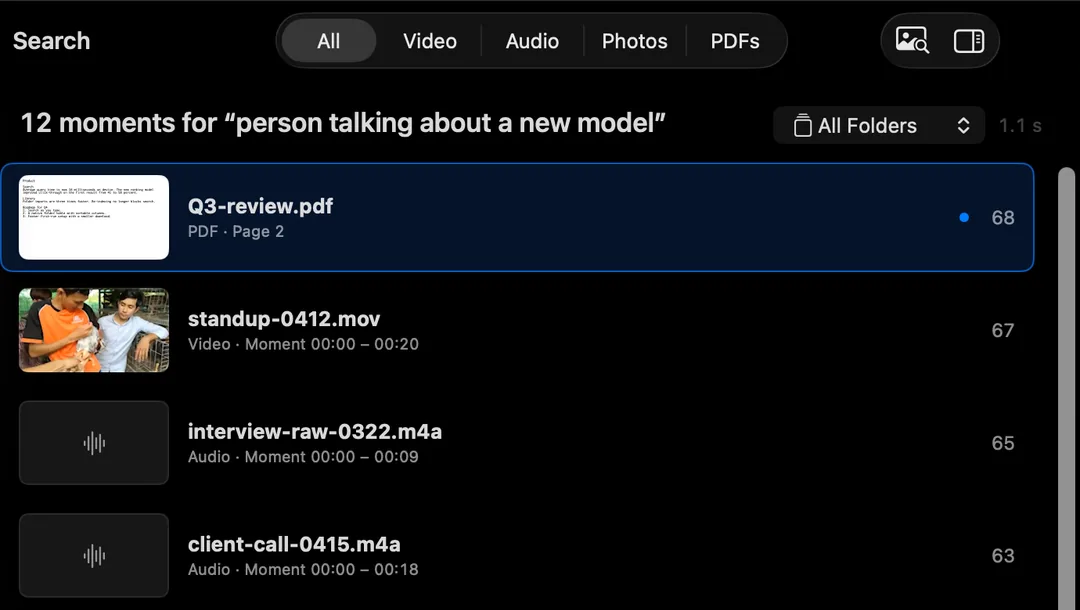
HyperArc lets video editors search raw footage folders by describing the shot: “wide shot of the city at dusk”, “close-up of hands on a keyboard”, “interviewee laughing”. It lists the matching 30-second moments across every clip you've added and opens the clip at that time. Nothing is uploaded, so client footage stays on your Mac.
The Problem With Footage Folders
Editors spend a surprising part of a project just looking for things. The b-roll you know you shot. The take where the presenter finally nailed the line. The establishing shot from a shoot two years ago that would fix this sequence. Bins and clip names help when someone logged the footage properly. Usually nobody had time.
Spotlight can't help: it sees A001_C014_0612.MOV and a duration. Your NLE's own search only covers what's already in the project or library. HyperArc covers the folders themselves, including archive folders from old projects, without importing anything.
How It Works
Each video in the folders you add is split into 30-second moments. HyperArc's search model, running on your Mac, computes an embedding for each moment, and the index is stored on your Mac. Your description gets the same treatment, and HyperArc returns the moments that sit closest to it. You can also search with a frame instead of words, which is often quicker when you're matching a look.
A Workflow for Finding Shots
- Add your footage folders. Project media, archive folders, the client's delivery folder. They stay where they are. Watched folders pick up new card dumps automatically.
- Let HyperArc index in the background while you keep cutting. The folder table shows each clip's length, how many parts it was split into and its status.
- Describe the shot. Setting plus action works best: “rainy street, people with umbrellas”, “drone over a forest”, “product on a white table rotating”.
- Filter to Video, or to one folder when you know which shoot it's from.
- Preview in the inspector, then Open at [time] to watch from that moment.
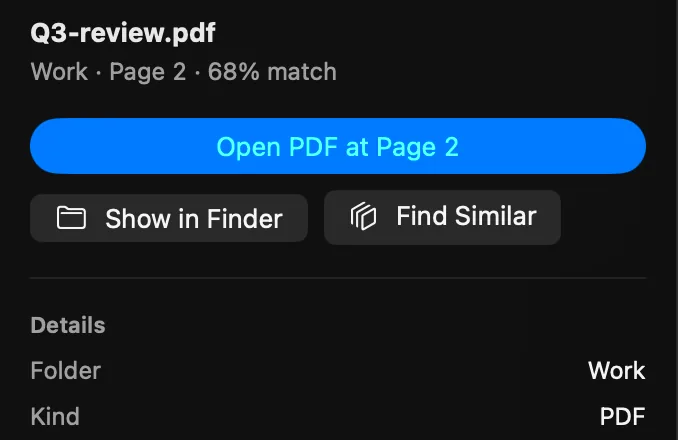
- Hand it to your edit. Copy Timestamp puts the time on your clipboard for your notes or markers; Show in Finder takes you to the file to drag into the timeline.
Matching a Look With an Image
When words don't cut it, show it. Paste a frame grab from your timeline or drop in a reference still, and HyperArc finds moments in your footage that look like it: same location, similar framing, similar light. Found one good shot? Find Similar on that result pulls up the other takes and angles from the same setup. See search with an image for more.
What Editors Should Know
- Folders, Not ProjectsSearches the footage on your drives, whether or not it's in a project yet.
- Moments With TimecodesResults are 30-second moments with time ranges. Copy Timestamp for your notes.
- Footage Stays PutNo upload, no proxy round trip to a server. Works offline after setup.
- Not a Logging ToolNo transcripts, no face recognition, no tags written back to your clips.
HyperArc complements your editor rather than replacing its search. If everything already lives in one Final Cut library, Final Cut's Visual Search may be all you need; the comparison of video search apps lays out where each tool fits, including plugins that work inside the NLE. HyperArc's strength is the stuff outside the project: archives, old shoots, folders of mixed footage, audio, stills and PDFs like call sheets and scripts, all in one search.
The first index of a big footage archive takes time, since it runs on your Mac. After that, only new files need indexing.
HyperArc is $129 once for up to 3 Macs, so it can sit on your edit machine and your laptop. 7-day money-back guarantee.
Updated